Make My Property Photo Listing Ready
Upload one photo and get a finished, listing-ready image — the AI applies every edit the shot needs automatically, so you don’t have to pick them one by one.
What it does
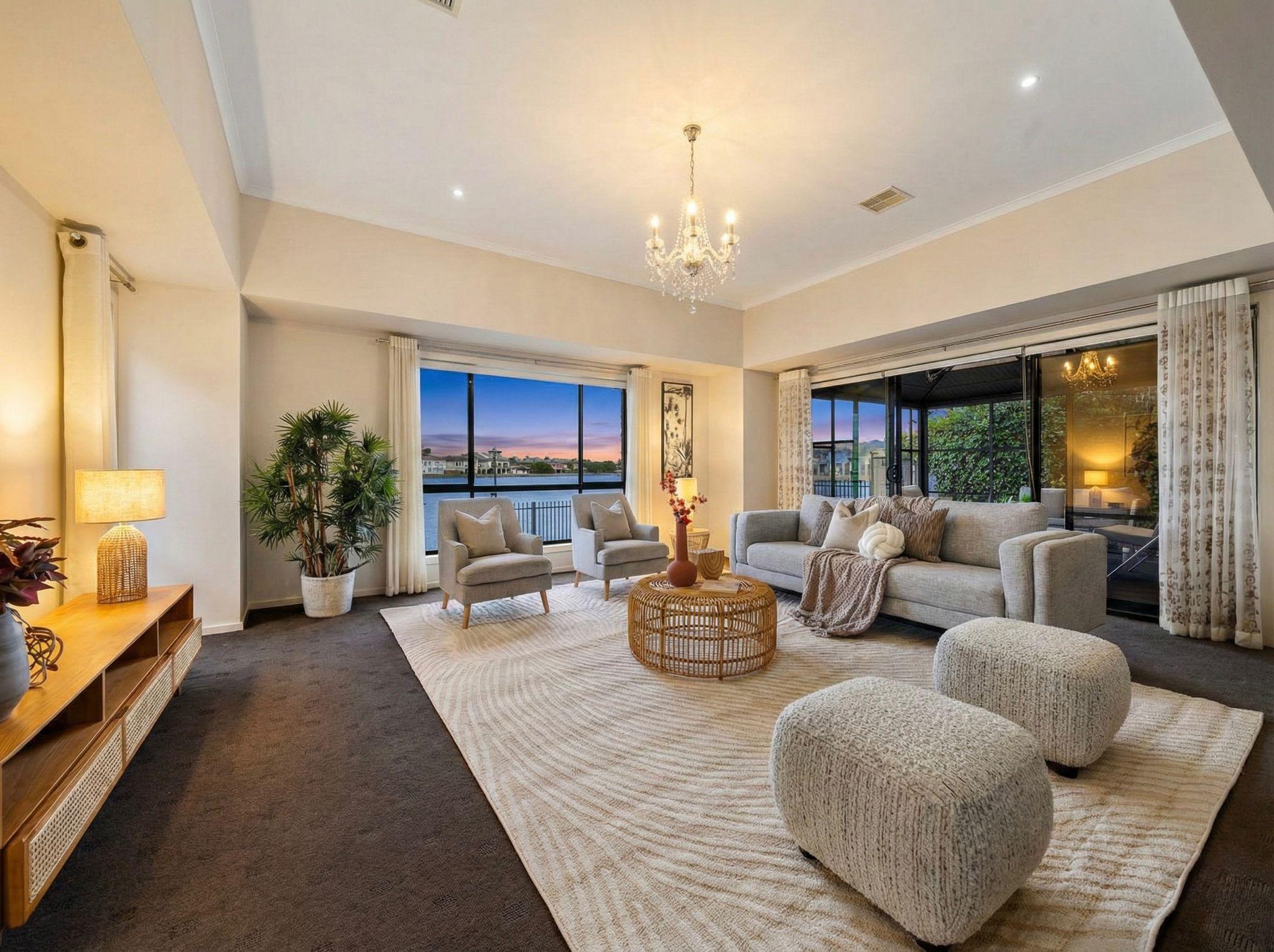
Make My Property Photo Listing Ready in Enhancia’s one-click, do-it-all pass. Instead of choosing each edit yourself, you upload a single property photo and the AI reads the image, works out what it needs, and applies the full set of fixes automatically — correcting colour and white balance, evening out lighting, straightening perspective, cleaning the facade, tidying clutter, improving the lawn and surroundings, and sharpening the final result. It returns one finished, listing-ready photo, so the shot that comes back is the one you can publish straight to the portal.
It’s the fastest route through Enhancia’s editing suite. Every fix it runs is a tool you could apply on its own — Color Normalisation, Perspective Fix, Boost Curb Appeal, Declutter, Tidy Up Outdoors and Lawn Mowing — but here they’re bundled into a single automatic pass and applied only where the photo actually needs them. If you’d rather control each edit yourself, the individual tools in the AI Real Estate Photo Enhancer are there; this tool is for when you just want the finished image without the decisions.
In one line: Make My Property Photo Listing Ready runs every edit a photo needs in one automatic pass and returns a single, finished, publish-ready image.
Who it’s for
- Real estate agents who want a polished, listing-ready photo without learning which edit to apply — upload the shot, get back the finished image.
- Property managers turning around rental and lease photos at volume who need a fast, consistent one-step cleanup for every image.
- Property photographers who want a quick automatic pass as a starting point before any final manual touches.
- Short-term rental hosts presenting Airbnb and holiday listings who want professional-looking photos without editing skills or software.
How it works
- 1Upload a property photo — interior or exterior.
- 2Select Make My Property Photo Listing Ready.
- 3Enhancia analyses the image and applies every edit it needs automatically — colour, lighting, perspective, facade, clutter, surroundings, and sharpening.
- 4Review the finished, listing-ready photo, then download it — or regenerate for a different result.
Inputs & outputs
Limitations & things to check
- This is an automatic pass. The AI decides which edits the photo needs, so always review the finished image before publishing to confirm the result matches the property and your expectations.
- Because several edits run at once, check the fine detail — windows, edges, signage, straight lines, and any removed clutter — to make sure nothing was over-corrected or left with a subtle artefact.
- For full control over any single edit, use the individual tools in the AI Real Estate Photo Enhancer instead. This tool is built for speed and a strong finished result, not edit-by-edit fine-tuning.
- Automatic edits are presentation improvements — they should not hide a genuine defect or misrepresent the property’s permanent condition. Check your local disclosure requirements before publishing enhanced photos.
Frequently asked questions
What does Make My Property Photo Listing Ready do?
It’s a one-click pass that applies every edit a photo needs at once. You upload a single property photo and the AI corrects colour, lighting, and perspective, cleans the facade, tidies clutter, improves the surroundings, and sharpens the result — returning one finished, listing-ready image without you choosing each edit.
Do I choose which edits are applied?
No — that’s the point of this tool. The AI reads the photo and applies only the fixes it needs, automatically. If you’d rather control each edit yourself, use the individual tools in the AI Real Estate Photo Enhancer, which let you apply focused passes one at a time.
Which edits does it include?
It draws on Enhancia’s core edits — colour and white balance, lighting, perspective correction, facade cleanup, decluttering, outdoor tidy-up, lawn and landscaping — and applies whichever ones the specific photo calls for.
Can I use it on both interior and exterior photos?
Yes. It works on interior and exterior shots, applying the relevant edits for each — for example, clutter and lighting indoors, or facade, lawn, and perspective outdoors.
What if I don’t like the automatic result?
You can regenerate for a different result, or switch to the individual tools for full manual control over each edit. The automatic pass is a fast starting point as much as a finished image.
Do I need editing experience to use it?
No. There are no settings to choose and no software to learn — you upload the photo and download the finished, listing-ready version. It’s the simplest way to use Enhancia.
Do I need to disclose that a photo was enhanced?
Automatic enhancements are presentation edits and must not misrepresent the property’s permanent condition. Many real estate boards and portals have guidance on edited photos — check your local disclosure requirements before publishing.
Related tools
AI Real Estate Photo Enhancer
Make property photos ready for your next listing without editing every image from scratch. Enhancia lets you choose the AI real estate photo editing task that each image needs: balance colour, correct perspective, refine a sky, clear visual clutter or upscale the finished photo. Upload your image, preview the changes and keep control of the result before downloading.
Boost Curb Appeal
Improve exterior presentation for property photos with an AI cleanup pass.
Declutter
Our AI declutter tool tidies up your listing photos by removing the small, distracting items that pull attention away from the room — without moving your furniture or changing the layout. Upload a photo of a lived-in space, and we clear the clutter: the stray shoes, the benchtop mess, the fridge magnets, the laundry basket in the corner. What’s left is a clean, tidy version of the same room, ready for your listing in seconds. No staging day, no tidying up on site, no Photoshop.
More resources
Read related guides in the Enhancia Knowledge Base, or see full pricing details on the pricing page.