AI Tidy Up Outdoors for Property Photos
Clear the bins, hoses, toys, and clutter from an exterior shot so the property looks clean and buyer-ready.
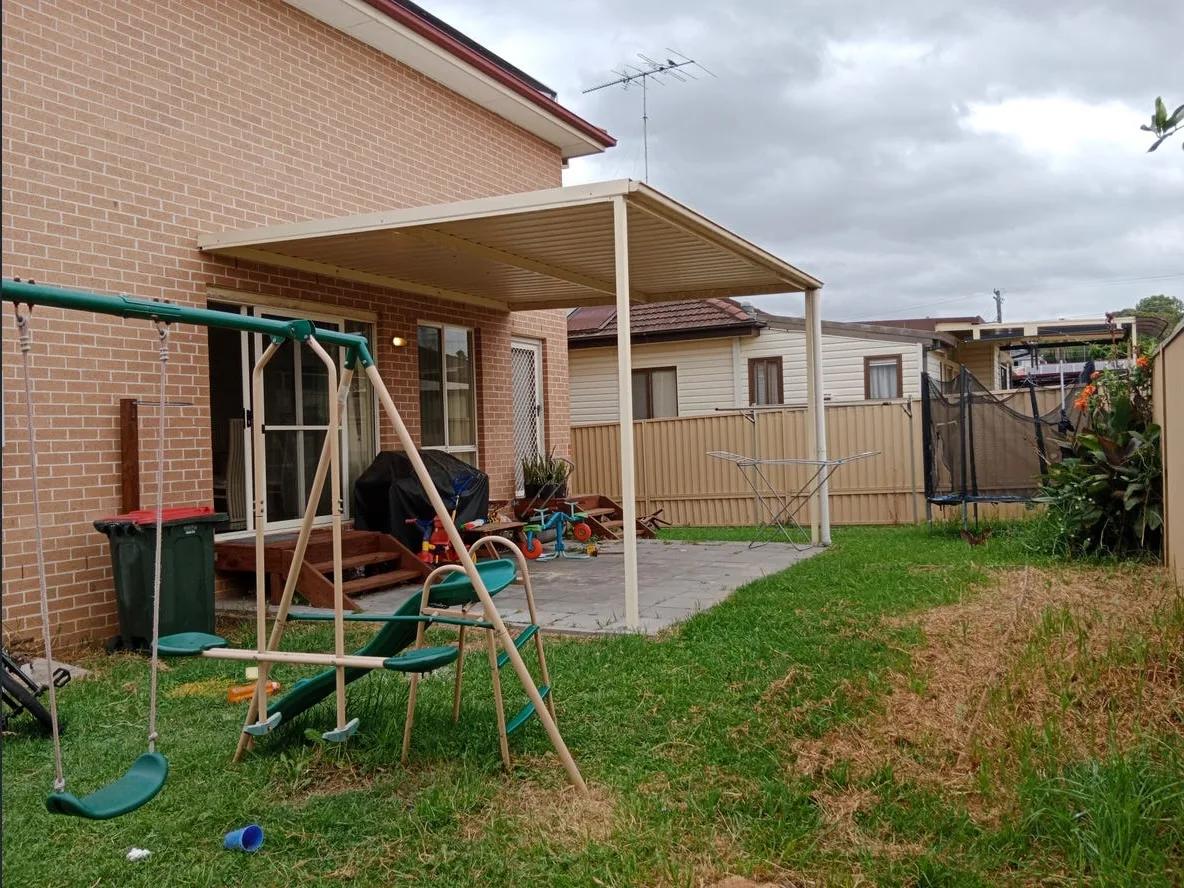
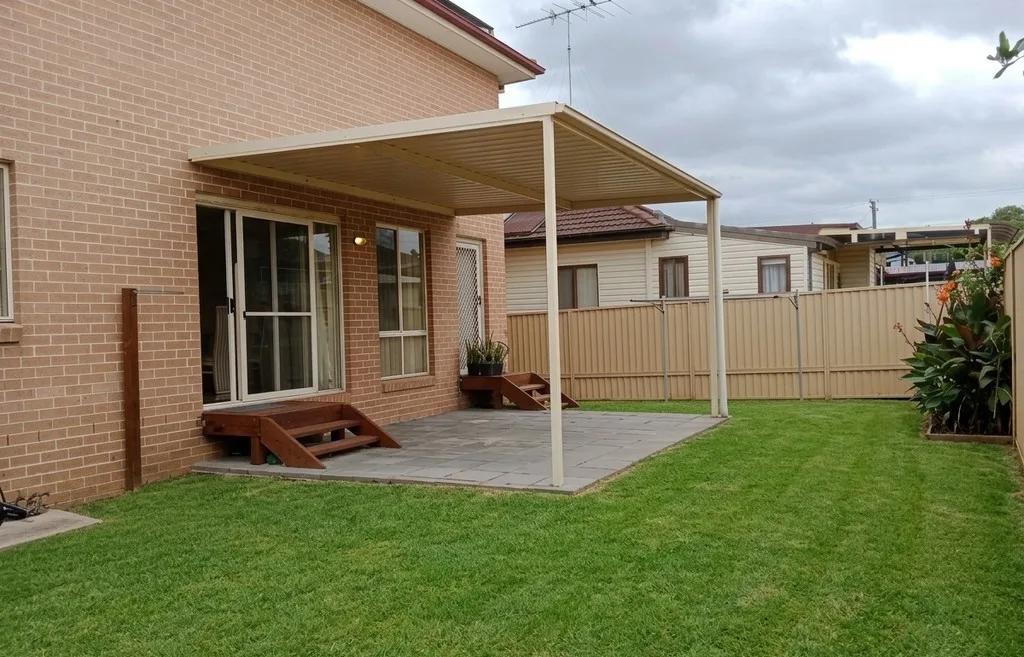
What it does
Tidy Up Outdoors uses AI to remove movable clutter and surface mess from exterior property photos — wheelie bins, garden hoses, tools, kids’ toys, parked cars, stray rubbish, scattered pots, and leaves or debris on paths and driveways. It cleans up the scene so the yard, patio, and entrance look neat, while keeping the house, garden layout, and fixed features exactly as photographed. The result is a tidy, distraction-free exterior that lets buyers focus on the property rather than the mess in front of it.
In one line: Tidy Up Outdoors removes bins, hoses, toys, cars, and yard clutter from a real estate exterior photo — automatically.
Who it’s for
- Real estate agents listing occupied homes where everyday clutter — bins, cars, hoses — sits in the frame on shoot day.
- Property photographers who can’t move every object before a shoot and want a fast, clean cleanup afterwards.
- Property managers and short-term rental hosts presenting yards, patios, and entrances without the mess of daily use.
- Property marketing teams producing consistent, distraction-free exterior imagery across a portfolio of listings.
How it works
- 1Upload an exterior photo of the property — yard, driveway, patio, or entrance.
- 2Select the dedicated Tidy Up Outdoors tab in your project.
- 3Enhancia removes the clutter and cleans the visible surfaces while keeping the property and layout intact.
- 4Review the tidied photo, then download or regenerate with a different result.
Inputs & outputs
Limitations & things to check
- Tidy Up Outdoors removes clutter and surface mess. It does not re-landscape, mow the lawn, or resurface a building — use Lawn Mowing for grass and garden beds, and Facade Upgrade for walls and render.
- Results are strongest when the object being removed sits against a fairly simple background. Clutter overlapping detailed features may leave subtle artefacts worth a quick check.
- Removing objects is a presentation edit — it should not hide a genuine defect or misrepresent the property. Check your local disclosure requirements before publishing edited photos.
Frequently asked questions
What is Tidy Up Outdoors?
Tidy Up Outdoors is an AI tool that removes movable clutter and surface mess from exterior property photos — bins, hoses, tools, toys, parked cars, rubbish, and path debris — so the yard and entrance look clean and buyer-ready, without changing the property itself.
What can it remove from an exterior photo?
Everyday clutter and mess: wheelie bins, garden hoses, tools, children’s toys, scattered pots, stray rubbish, parked cars, and leaves or debris on paths and driveways.
How is this different from Lawn Mowing and Facade Upgrade?
Tidy Up Outdoors clears movable clutter and surface mess. Lawn Mowing improves the grass and landscaping, and Facade Upgrade cleans up the building exterior. Together they cover a full exterior cleanup, each handling a different part of the scene.
Does it change the house or garden layout?
No. It only removes clutter and cleans visible surfaces. The house, garden beds, driveway, and fixed features stay exactly as they are in the original photo.
Can it remove a parked car from the driveway?
Yes. A car parked in the driveway or on the street in front of the property can be removed so the frontage and entrance read clearly.
Do I need to disclose that objects were removed?
Object removal should be presentation-only and must not conceal a defect or mislead buyers. Many real estate boards and portals have guidance on edited photos — check your local disclosure requirements before publishing.
Related tools
Restore Lawns & Grass
Our AI lawn enhancement tool cleans up patchy, worn, or uneven grass in exterior listing photos while keeping the property and outdoor layout recognizable. Upload a photo of the yard, and we improve the lawn presentation: tired grass, inconsistent coverage, and areas that make the exterior feel less polished. What’s left is a cleaner, more even-looking version of the same property, ready for your listing. No landscaping day, no reshoot, no Photoshop.
Boost Curb Appeal
Improve exterior presentation for property photos with an AI cleanup pass.
Declutter
Our AI declutter tool tidies up your listing photos by removing the small, distracting items that pull attention away from the room — without moving your furniture or changing the layout. Upload a photo of a lived-in space, and we clear the clutter: the stray shoes, the benchtop mess, the fridge magnets, the laundry basket in the corner. What’s left is a clean, tidy version of the same room, ready for your listing in seconds. No staging day, no tidying up on site, no Photoshop.
More resources
Read related guides in the Enhancia Knowledge Base, or see full pricing details on the pricing page.