How to Remove Furniture From a Photo Using AI
A furnished room can look attractive in person but crowded in a property photograph. A large sofa can hide the flooring, a bed can dominate a small bedroom, and personal belongings can distract viewers from the space. Physically moving everything for a photoshoot is not always practical, especially in an occupied home.
AI furniture removal offers another option: digitally clear movable furnishings from an existing photograph and create an empty-room image. Below, we explain how the process works, which photos deliver better results, and what to check before publishing an edited image.
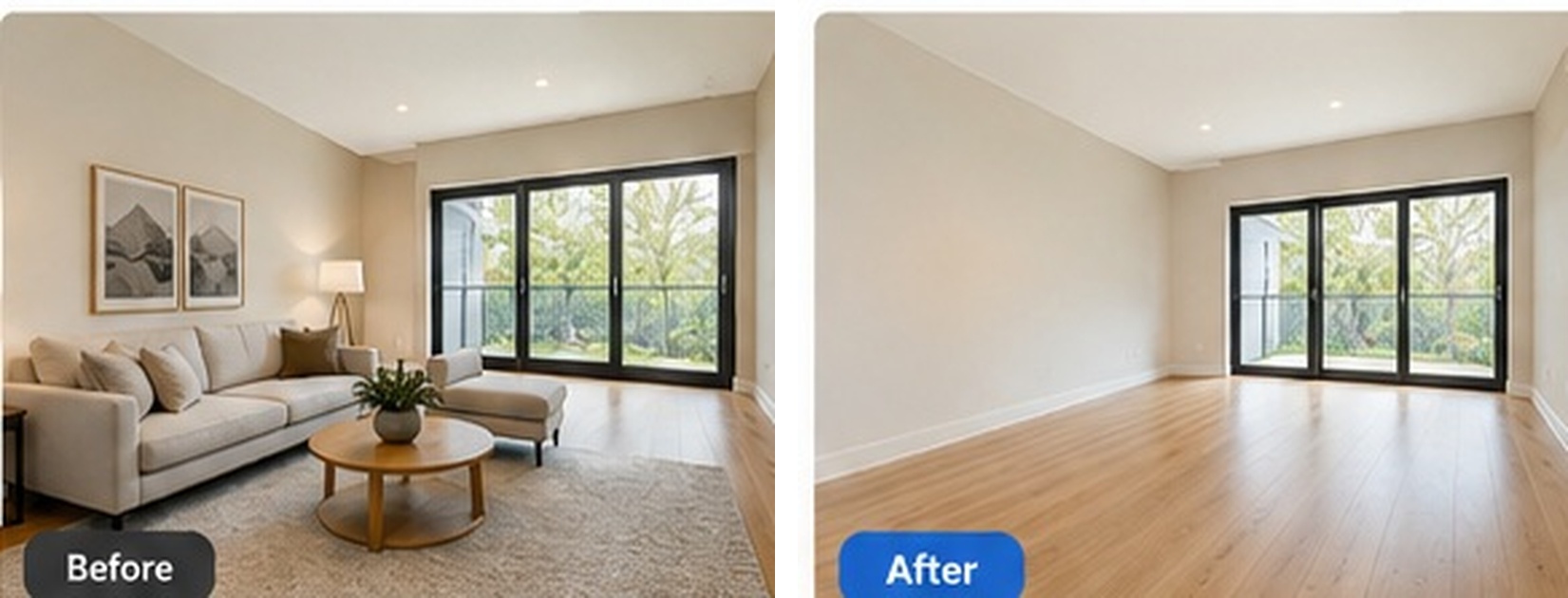
Can AI Really Remove Furniture From a Photo?
Yes. AI furniture removal can erase sofas, beds, tables, chairs and other movable objects while attempting to reconstruct the surfaces hidden behind them. This is different from cropping a photograph or painting over furniture: the missing areas need to resemble the surrounding floor, wall and lighting.
The process is commonly called image inpainting. AI uses visible patterns and textures to generate a plausible continuation of the background. It cannot know with certainty what was concealed by a wardrobe or bed, however, so its output is a visual interpretation rather than a verified record of hidden surfaces.
How Do You Remove Furniture From a Photo Without Photoshop?
Start with Enhancia’s furniture removal tool and follow this simple workflow:
1. Upload a clear photograph. Choose a well-lit image that shows the room’s walls, floor and the furniture to remove. A level camera angle and good focus make it easier to inspect the final result.
2. Run furniture removal. Upload the photo and use the removal function to generate an empty-room version. The tool removes furnishings and attempts to fill their former positions with matching surfaces.
3. Inspect the edited room. Compare before and after images closely, particularly around skirting boards, floorboard lines, outlets, doors and windows. If a section looks distorted, try another source photo or repeat the edit.
4. Save the image for its intended use. Keep both the original and the edited photo. If the image will appear in a property listing, check the relevant platform’s rules and label digital changes where required.
How Does AI Rebuild the Space Behind Furniture?
Imagine removing a dining table from a photograph with wooden flooring. The software must continue the visible floorboard pattern into the space previously covered by the table. It may also need to recreate missing shadows, sections of a wall and the edge where the floor meets the skirting board.
Clear, repeated patterns are easier to reconstruct than unusual tiles, reflective surfaces or large areas hidden behind furniture. The more of the original room the photograph reveals, the more useful visual information the AI has for generating a consistent-looking result.
What Kind of Photos Work Best for Furniture Removal?
Bright, sharp photographs with visible floors and walls usually give you a better starting point. Take the photo from a position that shows the layout without stretching the room with an extreme wide-angle lens. Avoid strong glare, heavy shadows and unnecessary cropping; these can make the reconstructed areas harder to judge.
For occupied properties, photograph the same room from more than one angle when possible. An additional view may reveal the real flooring or wall behind an item and help you identify any invented details in the edited version.
Should You Remove All the Furniture or Just Declutter?
Full furniture removal is useful when a property needs an empty-room presentation or when existing furnishings are unsuitable for marketing. But clearing every object is unnecessary if a room is already furnished well and only contains smaller distractions such as cables, toys or scattered belongings.
In that situation, the declutter room tool is the more targeted option: it helps tidy visual clutter while leaving the principal furniture in place. Choose the edit that solves the actual photographic problem rather than applying the largest possible change.
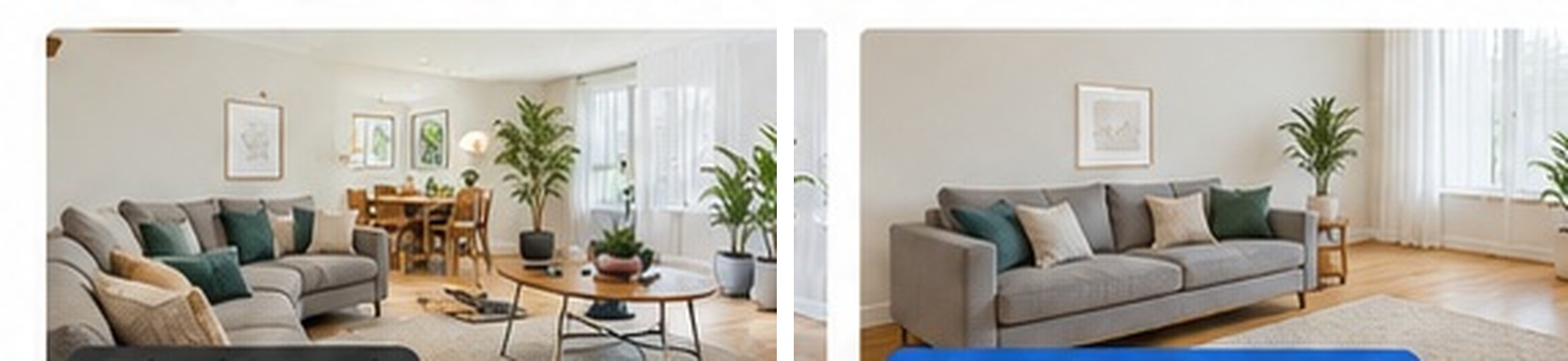
Can You Virtually Stage a Room After Removing Its Furniture?
Yes. Furniture removal and virtual staging work as separate steps. First, produce a genuinely empty-looking room photo and inspect the reconstructed background. Next, correct brightness and colour if needed. Only then should you use virtual staging to introduce a new furnishing arrangement.
This approach is helpful for occupied homes with outdated furniture, but each edit introduces another opportunity for errors. Check the empty-room result before staging: an incorrect floor pattern or altered window edge may be difficult to notice once a new sofa is added.
Is It Acceptable to Remove Furniture From Real Estate Photos?
Removing movable items can help viewers see a property’s layout, provided the image is presented accurately. It should not be used to hide water damage, remove permanent fixtures, change floor materials or disguise defects. A realistic image is not automatically a factual one, particularly where the AI has invented previously concealed surfaces.
Retain the untouched photograph, compare fixed architectural features and follow local disclosure or listing requirements. For a more consistent listing-photo workflow, Enhancia offers related editing tools, including options to boost curb appeal in exterior photographs.
Frequently Asked Questions
Can I remove furniture from a phone photo? Yes. A high-resolution smartphone image with good lighting can work well. Use the original file rather than a compressed screenshot.
Will AI recreate exactly what is behind a sofa or bed? No. It generates a plausible background from visible information, which may differ from the real concealed surface.
Does removing furniture make a room look bigger? It can make the floor area easier to see, but it does not change actual dimensions. Rely on verified measurements for size.
What should I check before publishing an edited photo? Look for distorted floorboards, missing sockets, unusual shadows and changes to permanent architectural details. Keep the original photo available.
Final Thoughts
Learning how to remove furniture from a photo can make property photography more flexible without the logistics of physically emptying a room. The best results come from clear source images, a focused editing workflow and careful review—not from assuming every convincing-looking reconstructed surface is accurate.
Related tool
Remove Furniture
Our AI furniture removal tool digitally clears furniture out of your room photo, leaving a clean, empty space that shows your property at its full potential. Upload a picture of a furnished or cluttered room, and we remove the pieces you don’t want on show — sofas, beds, tables, and everyday clutter — then rebuild the floor, walls, and light behind them so your result looks like the room was photographed empty. No moving, no mess, just a clean listing photo in seconds.
Declutter
Our AI declutter tool tidies up your listing photos by removing the small, distracting items that pull attention away from the room — without moving your furniture or changing the layout. Upload a photo of a lived-in space, and we clear the clutter: the stray shoes, the benchtop mess, the fridge magnets, the laundry basket in the corner. What’s left is a clean, tidy version of the same room, ready for your listing in seconds. No staging day, no tidying up on site, no Photoshop.
Related articles
How Does Virtual Staging Work?
Discover how virtual staging works with Enhancia.ai, from preparing an empty room photo and choosing its room type to generating and reviewing realistic results.
Virtual Staging vs. Traditional Staging: Which Sells Australian Homes Faster?
Virtual staging real estate compared with traditional staging: real AUD cost ranges, turnaround times and disclosure rules for Australian agents.