AI Poolside Enhancement for Property Photos
Turn a dull, cloudy pool into crisp blue water that makes the whole backyard look inviting.
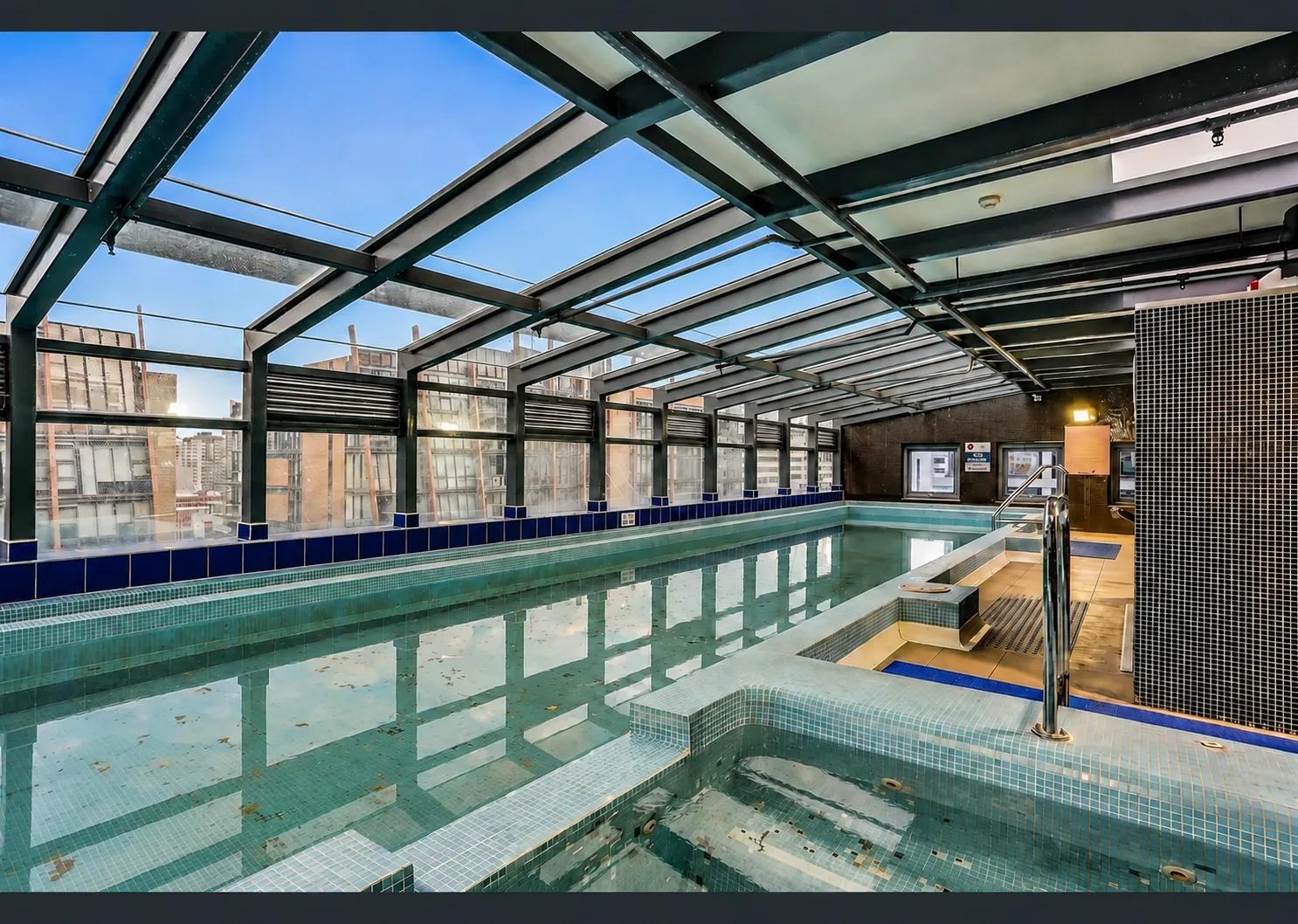
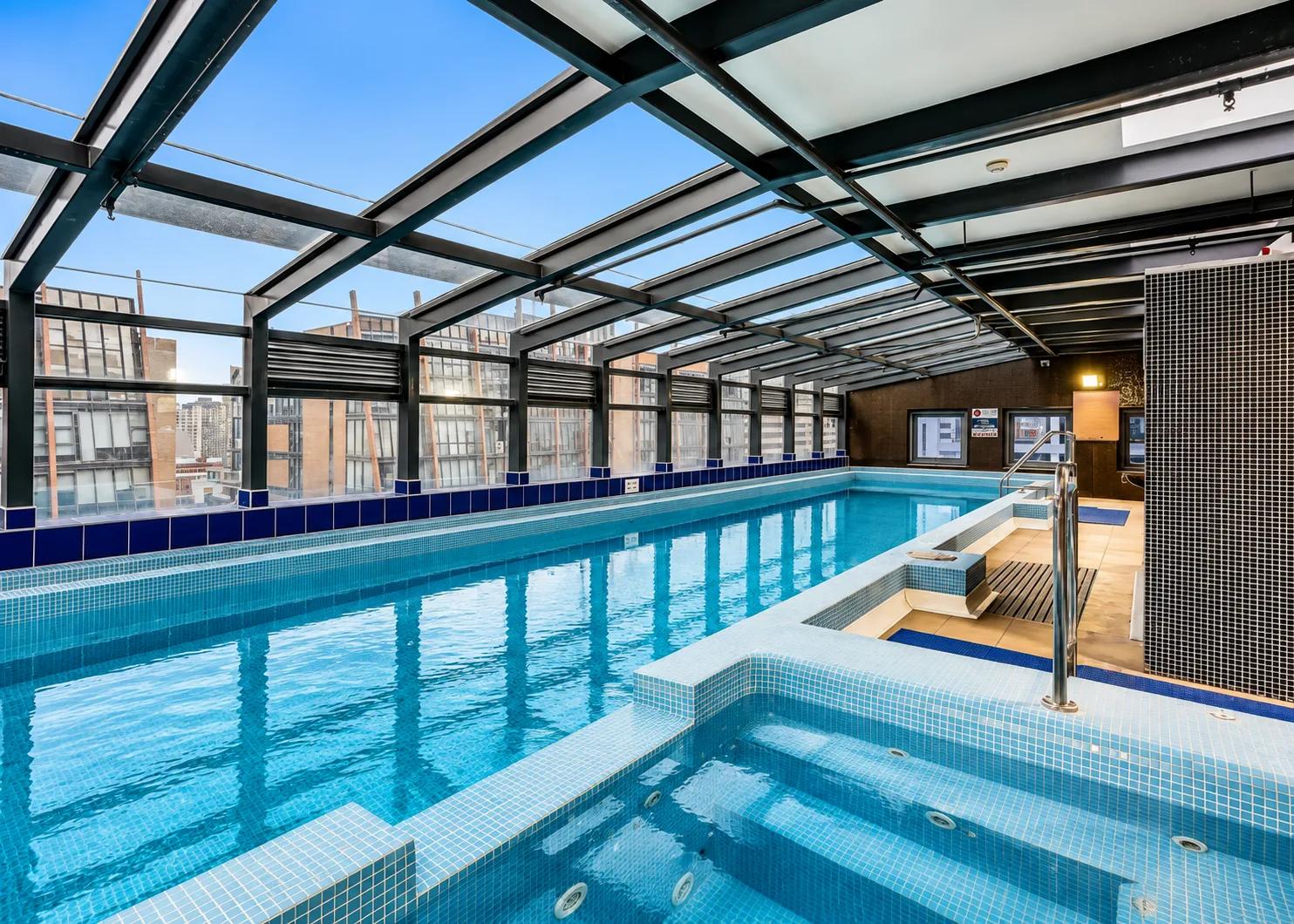
What it does
Poolside Enhancement uses AI to make a swimming pool look clean, blue, and inviting in a listing photo. It clears cloudy or green water, corrects colour and tone, evens out harsh lighting on the water surface, and restores natural reflections — while keeping the pool shape, tiling, coping, and surrounding deck exactly as photographed. The result is a pristine pool that anchors the outdoor shot and lifts the appeal of the entire property, without draining, cleaning, or re-shooting on a better day.
In one line: Poolside Enhancement turns cloudy or dull pool water into clear, blue, inviting water in a real estate photo — automatically.
Who it’s for
- Real estate agents marketing homes where the pool is a key selling point but the water looks flat, green, or grey in photos.
- Property photographers who shot on an overcast day or at the wrong time and can’t return for a reshoot.
- Property managers and short-term rental hosts presenting pools that photograph dull despite being well-maintained.
- Property marketing teams producing outdoor and lifestyle imagery where the pool needs to look aspirational.
How it works
- 1Upload a photo of the property’s pool or outdoor area.
- 2Select the dedicated Poolside Enhancement tab in your project.
- 3Enhancia clears and colour-corrects the water, balances lighting, and restores natural reflections.
- 4Review the enhanced photo, then download or regenerate with a different result.
Inputs & outputs
Limitations & things to check
- Poolside Enhancement adjusts the water — colour, clarity, lighting, and reflections. It does not change the pool’s shape, size, tiling, or the surrounding deck and landscaping.
- Results are strongest when the pool is clearly visible and reasonably lit. A pool that is mostly in deep shadow, heavily obstructed, or a tiny part of the frame gives the AI less to work with.
- Enhancement produces a clean, realistic representation of the water — it is a presentation edit, not a claim that the pool is professionally cleaned. Check your local disclosure requirements before publishing enhanced photos.
Frequently asked questions
What is poolside enhancement?
Poolside enhancement is an AI edit that makes a swimming pool look clean and inviting in a listing photo — clearing cloudy or green water, correcting colour, balancing light, and restoring natural reflections, while keeping the pool and its surroundings unchanged.
Can it fix green or cloudy pool water?
Yes. That’s its core job. Poolside Enhancement corrects discoloured, cloudy, or murky water into a clean blue tone, so the pool looks well-kept in the photo without draining or re-shooting.
Will the pool still look realistic?
Yes. The tool aims for a natural, believable result — clear water with realistic colour and reflections — rather than an artificial neon-blue look that buyers immediately distrust.
Does it change the shape or size of the pool?
No. It only adjusts the water and lighting. The pool’s shape, tiling, coping, deck, and landscaping stay exactly as they are in the original photo.
What kind of photos work best?
Outdoor shots where the pool is clearly visible and takes up a meaningful part of the frame, ideally with reasonable light on the water surface, give the clearest results.
Do I need to disclose that a pool photo was enhanced?
Many real estate boards and property portals expect photo edits to be presentation-only and clearly not misleading. Poolside Enhancement improves how existing water is presented; check your local disclosure requirements before publishing.
Related tools
Day to Dusk
Our AI day to dusk tool turns your ordinary daytime exterior into a warm, golden-hour twilight shot in seconds. Upload a photo taken in flat midday light, and we relight the sky, warm the tones, and switch on the window lights so your property glows the way it would at dusk. It’s the single most eye-catching edit in real estate photography — and you get it without waiting for the perfect evening, without a tripod, and without touching Photoshop.
Boost Curb Appeal
Improve exterior presentation for property photos with an AI cleanup pass.
Restore Lawns & Grass
Our AI lawn enhancement tool cleans up patchy, worn, or uneven grass in exterior listing photos while keeping the property and outdoor layout recognizable. Upload a photo of the yard, and we improve the lawn presentation: tired grass, inconsistent coverage, and areas that make the exterior feel less polished. What’s left is a cleaner, more even-looking version of the same property, ready for your listing. No landscaping day, no reshoot, no Photoshop.
More resources
Read related guides in the Enhancia Knowledge Base, or see full pricing details on the pricing page.